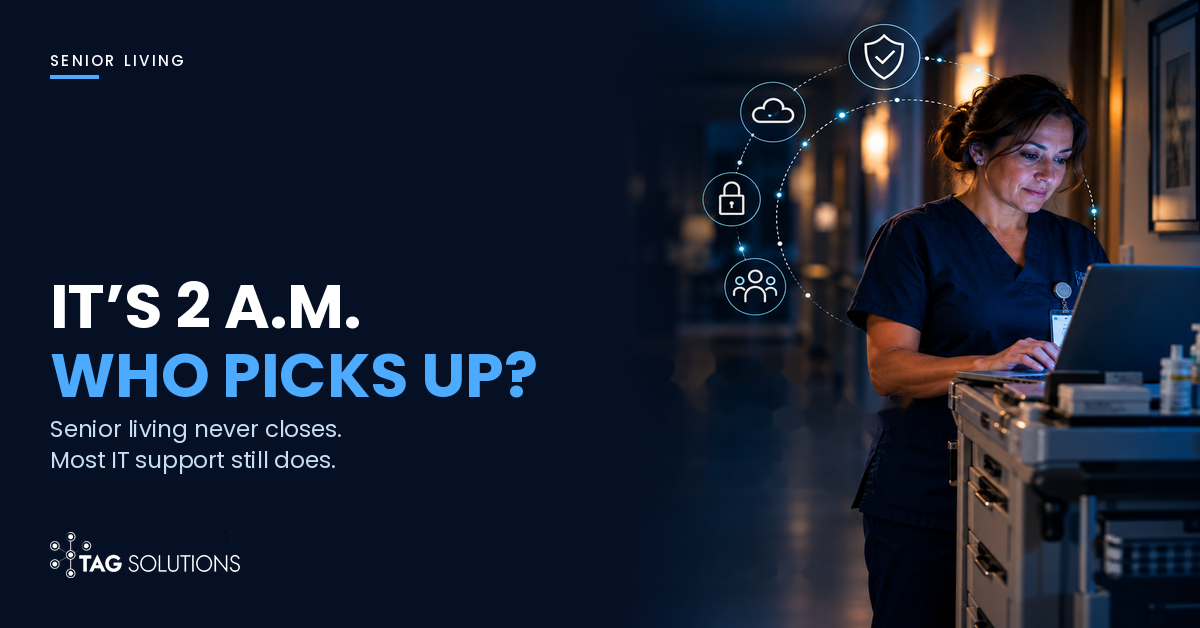
If your community's network went down at 2 a.m. tonight, who would the night nurse call, and would anyone pick up?
Here's a question we like to ask senior living leaders around Albany and the Capital Region, mostly because the answers are so revealing: when was the last time you restored your resident records from a backup, all the way through, and timed how long it took?
Almost everyone knows when the generator was last tested. There's a log for that, usually on a clipboard in the maintenance office, and surveyors check it. The backup question tends to get a pause, then a shrug, then something along the lines of: our IT company takes care of that.
And maybe they do. But nobody in the room knows for sure, and that's the part we'd sit with for a minute.
None of this is a knock on the people running these communities. Most of them have been short-staffed for years now. Between that, the regulatory updates, and families who call a lot more than they used to (fair enough), nobody's had a spare afternoon to think about network switches. So the tech piled up the way it does everywhere. Pharmacy wanted an interface, the new EHR came with its own tablets, somebody bought a mesh Wi-Fi kit at a big-box store for the activity room.
The catch? Half the job runs on that pile now. Maybe more. Med passes, care notes, call lights, the door alarms in memory care, the iPad a daughter uses to see her dad every Sunday after church. A lot of that runs over a network that was set up, if anyone set it up deliberately at all, for an office that empties out at five.
Your Building Runs All Night. Your IT Support Probably Doesn't.
Most IT support in Albany, like most IT support anywhere, was built around office hours. Somebody answers the phone from eight to five, patches go in on Saturday night, and if a switch dies at 11 p.m. it becomes tomorrow morning's ticket.
For a law firm, that's fine. For a building where the overnight nurse is charting and passing meds at exactly the hour nobody's watching the help desk, it isn't fine at all, and most operators don't find that out until the first time something breaks after dark.
We don't think anyone chose this on purpose. Communities hire IT the way every other organization does: get three quotes, pick the one that seems sensible, sign. The contract doesn't announce in bold that nobody will answer at 2 a.m. It just says business hours, somewhere on page four.
How the network quietly became part of care
Try this sometime. Walk the building, assisted living or skilled nursing, and count the things that stop working if the network goes down. The EHR, which these days is probably PointClickCare or MatrixCare running in the cloud. The eMAR on the med cart. Nurse call and the pendants residents wear. Wander management on the memory care doors. Time clocks and the scheduling app. Pharmacy orders. Resident Wi-Fi. The front desk phones, if they're VoIP.
Ten years ago a good chunk of that was on paper or ran on its own. Now much of it shares a single internet connection and the same handful of switches in a closet nobody likes to open, and in some buildings it's all on one Wi-Fi network too. No one sat down and decided to put resident care on the network. It happened a vendor contract at a time, which is exactly why nobody owns the whole picture.
What a Bad Night Costs (Mostly Not the IT Bill)
When people think about downtime they picture an invoice from the IT company. In senior living, the invoice is the smallest part of it.
The bigger costs show up on the floor, in ways that are easy to miss unless you were there. The med pass goes to paper and takes twice as long. A nurse stays two extra hours after her shift because everything she charted by hand has to be typed back in. The agency aide who started Tuesday can't log in, because her account was never finished. Somebody's son calls the front desk because the video visit dropped, then calls again twenty minutes later, a little less patient.
No single one of those is a crisis. Stack them up across a long weekend, though, and you've burned a lot of goodwill with the staff you can least afford to lose.
And the costs that arrive later
Some of it shows up weeks afterward, like a documentation gap a state surveyor asks about, or overtime that wrecks the month's labor line. Then there's reputation, which in this business travels by word of mouth. Families touring communities talk to each other. Have your systems down for two days and, fair or not, that's the story at somebody's Thanksgiving table.
Want an actual number for your building? It's back-of-the-napkin math. Staff affected, times how much they slow down, times what they cost per hour, times hours down. Then tack on the overtime to catch up. We've noticed that leaders who run that calculation once tend to stop filing IT under facilities.
Where Things Usually Break
We've supported organizations around the Capital Region for more than 30 years, and the weak spots in care settings are oddly predictable. Nothing exotic, nothing you'd see in a movie about hackers.
Shared logins (and people who left months ago)
Senior living depends on agency staff, part-timers and a lot of turnover, so there's constant pressure to make getting into systems easy. And easy, more often than not, turns into shared. One login on the med cart. A nursing station password on a sticky note because three shifts use that PC. Plus the accounts of people who quit back in April, still active, because nobody told IT they'd left.
Look, at 6 a.m. with two aides out sick, every one of those shortcuts is understandable. The problem is what they add up to: you can't tell who charted what, and you can't lock out someone whose access you didn't know existed.
Backups nobody has ever restored
Most communities have backups. Ask whether anyone has pulled the data back out of one, start to finish, and you'll usually get a funny look. That's the test that matters, though. How long did it take? What did the nurses do in the meantime? If nobody knows, what you've got is a copy of your data and a lot of optimism.
A cloud EHR doesn't make the question go away, by the way. If the building loses its internet connection or the Wi-Fi falls over, the cloud is every bit as out of reach as a dead server in the closet.
One more thing for the list is vendor access. Your EHR vendor, the nurse call company, the pharmacy system and the phone provider may all have some way to reach into your network remotely. Who last looked at that list? At a lot of Albany communities the honest answer is nobody.
Compliance Depends on What You Run. The 2 a.m. Problem Doesn't.
Compliance in New York senior living isn't one rulebook, so it helps to be precise.
If you run a skilled nursing facility that takes Medicare or Medicaid, you're under the CMS emergency preparedness rule. Among other things it asks for an all-hazards risk assessment, a medical documentation system that "secures and maintains the availability of records," and exercises on your emergency plan at least twice a year. You're also a HIPAA covered entity, no ambiguity there.
Assisted living is murkier. It's licensed by the New York State Department of Health rather than certified by CMS, and whether HIPAA applies comes down to how the community provides and bills for health services. Plenty of operators aren't sure where they land. What isn't murky is the NY SHIELD Act, which covers any organization holding private information about New York residents, so yes, every community with resident and family records.
We went through the HIPAA checklist in our guide for Albany healthcare practices, so we won't repeat it here. The point of this section is narrower. Compliance gives you a floor. It doesn't tell you whether the night shift can do its job when the network drops, and plenty of communities pass their audits without anyone knowing what 2 a.m. would look like.
What Good Looks Like at 2 a.m.
A well-run senior living network is, frankly, kind of boring. Boring is what you want here.
First, somebody picks up at night. A human who knows your building, not a ticket that sits there until the morning crew logs on. Then there's Wi-Fi. Residents and guests get their own network, walled off from clinical systems, so somebody's virus-ridden laptop or a big streaming night in the common room never gets near the med cart.
Every caregiver gets their own login, and logging in is fast. People hear "unique accounts and multi-factor authentication" and picture a nurse typing codes from her phone in the middle of a med pass. That's not how it has to go. With badge taps, a short PIN, single sign-on, the proper way can be quicker than the shortcut. Anything slower than the shortcut won't survive a night shift anyway.
Access ends the day someone leaves, agency staff included. And somebody has done at least one full restore, timed it, and written a short downtime procedure the floor can follow, with the paper forms sitting where people expect to find them.
Who Probably Doesn't Need Us
We'd rather say this plainly: not every senior living community in Albany needs a managed IT partner.
Say you run a small independent living building. No clinical systems, office stuff all in Microsoft 365, and a local IT person you've trusted for a decade. You're probably fine. If nothing on your network touches resident care, it's a different conversation.
Or maybe your current provider already picks up at 2 a.m. They've done a restore with you. Guest Wi-Fi is nowhere near the clinical stuff. Keep them. Seriously. The question isn't who supports you, it's whether that support was designed for a building that never closes.
Where we tend to fit is assisted living, memory care, skilled nursing and continuing care communities across Upstate New York, where technology is now part of how care gets delivered and leadership can't quite say what happens when it fails.
Stop Filing IT Next to the Copier Lease
In most budgets we see, IT sits under facilities or admin. Right there with the copier lease. That made sense when IT meant email and a printer. It doesn't make much sense now.
When the eMAR and the call lights and the memory care doors all ride on the network, IT is part of care. Whatever the org chart says. Uptime turns into a resident safety issue. Security turns into a family trust issue. Reliability even becomes a retention issue, since few things wear out a good nurse faster than fighting her tools every shift.
The Albany communities we've seen handle this well aren't always the ones with the biggest budgets. They're the ones that keep asking a slightly uncomfortable question: if this system goes down at 2 a.m., what happens to the resident in room 214?
How TAG Solutions Approaches Senior Living IT
TAG has worked with organizations across Albany and the Capital Region for more than 30 years. Senior living asks for something a lot of IT providers simply aren't set up to give, which is support that keeps the same hours as care.
Our help desk has people on it around the clock. A nurse calling at 2 a.m. gets a person, not a voicemail.
You also get your own vCIO. Think of them as the technology person at your leadership table: they sit with your executive director and administrator and map out the next few years of IT against occupancy, staffing, and whatever growth you've got planned. They're not on their own, either. There's a whole team behind them for the network side, security, backup and recovery, compliance. And every quarter there's an IT Risk Score, which is a simple way to see whether things are getting better or not.
Where do we start? Usually by poking around: network, backups, who has access, which vendors can get in. Then we tell you, in plain English, what would happen in your building if things went down tonight.
We back everything with service guarantees.
If nobody on your team can say for sure what happens when the network goes down overnight, start there.

We'll review your network, backups, access and vendor connections, then hand you a prioritized list of what to fix first, ordered by what protects resident care.
Questions Senior Living Leaders Ask Most Often
We moved the EHR to the cloud. Doesn't that solve this?
Not really. Sure, the server isn't in your closet anymore. Your building still has to get to it, though. The internet line coming into the building is still yours. So are the Wi-Fi, the switches, every tablet on every cart. Lose any one of them at night and the EHR is as good as down for the people on the floor. And the logins are still your problem too. Keep the cloud. We'd just add a second internet line, practice the downtime routine a couple of times a year, and make somebody responsible for who can log in.
Is our assisted living community covered by HIPAA or not?
Depends, and you don't want to be guessing on this one. Skilled nursing? Yes, you're a covered entity. Assisted living is fuzzier. It hinges on whether you provide health care and bill for it electronically, and that's different operator to operator, license to license. Get your compliance counsel to put the answer in writing. Meanwhile the NY SHIELD Act applies regardless, and so do families' expectations. No daughter cares which statute covers her mom's file. Treat the data like HIPAA applies and you won't go wrong.
Can we even afford 24/7 IT support on our margins?
Possibly. Do the math yourself before anybody pitches you anything. Start with what IT already costs you. The support contract. Hardware and licenses. Overtime after every outage. And the time nobody bills you for, nurses staring at a frozen screen or waiting on a password reset. Plenty of communities add that up and get a little surprised at how close it lands to what a managed agreement would run. Except the managed one has somebody awake at 2 a.m. Small buildings sometimes come out the other way, and then a lighter setup makes sense. Any consultant worth hiring should tell you so, even when that means you don't hire them.
How does MFA work when three shifts share one med cart?
Badly, if you do it the obvious way, and that's why shared logins stick around. Nobody wants to fish out a phone mid med pass. So you make the right way faster than the shortcut. Badge taps work. So does a short PIN on a registered device, or single sign-on where one login opens every clinical app. The heavier multi-factor prompts? Put those on remote access and email. That's where most of the risk is anyway. You end up with every chart entry tied to one person, and the sticky notes finally come off the monitors.
Where does IT fit in our emergency preparedness drills?
Give it its own scenario. You've probably got fire and snowstorms handled. So next drill, pretend the EHR's been dark since midnight. Six hours. Sit around a table and talk it through. Who's the first to notice? Is there a number on the wall to call? Where's the downtime binder? Who re-enters the charting the next morning? Skilled nursing facilities already owe CMS two exercises a year, so this can be one of them. For everyone else it's about the cheapest way to find the holes before a resident does.
Curious how AI is changing the threats Capital Region leaders face? Join us on November 17. [ Reserve Your Seat: Cybersecurity Event ]